SAML Installtion Guide
General Information
Orchestra provides several servlets to facilitate the SAML authentication flow:
-
{server root}/saml
This servlet initiates the SAML flow. Orchestra automatically redirects to this servlet when SAML authentication is activated. -
{server root}/saml/finish
This callback servlet is invoked once the user has logged into the Identity Provider (IDP). -
{server root}/saml/logout
This servlet is called when the IDP completes the logout process. It must be configured in the IDP.
To-Dos
- Configure SAML Identity Provider
- Configure Orchestra Monitor
- Configure saml_security_groups.xml
Configuring SAML Identity Provider
Configuration steps are illustrated using Keycloak as the IDP.
-
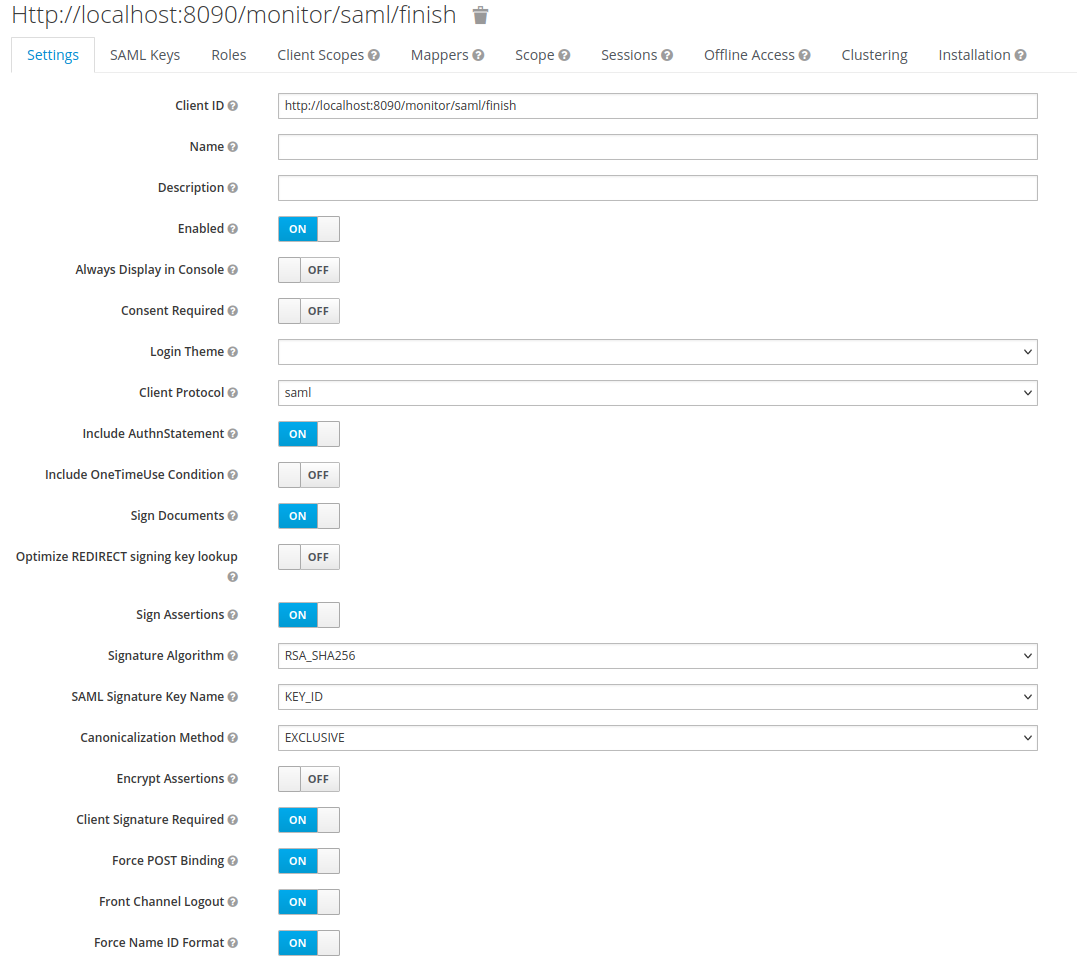
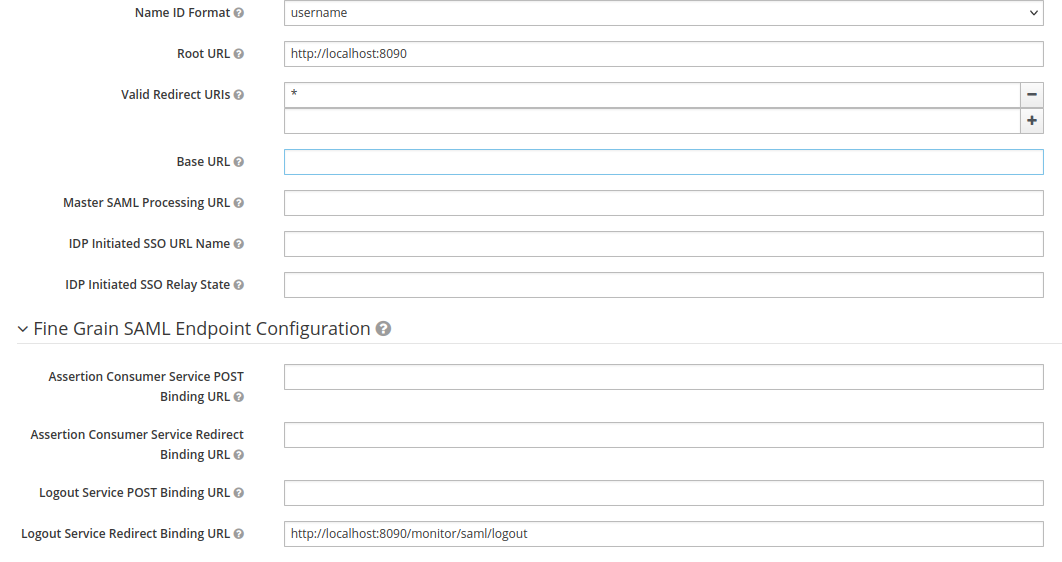
Add a new client to your realm. Ensure that the Client ID matches the callback servlet specified in the General Information section. The configuration must align with the settings in the Orchestra Monitor.
The following screenshots depict a working configuration:
-
To authenticate the client, a certificate needs to be added to the IDP. Orchestra generates a certificate and a keystore the first time the Monitor is started with SAML authentication activated. You can configure the location for the certificate and keystore (refer to
saml.keyStoreResourcePathin Configuring SAML Authentication). -
Import the
saml-signing-cert.peminto the identity provider:
Configuring Orchestra Monitor
For additional information, refer to Configuring SAML Authentication.
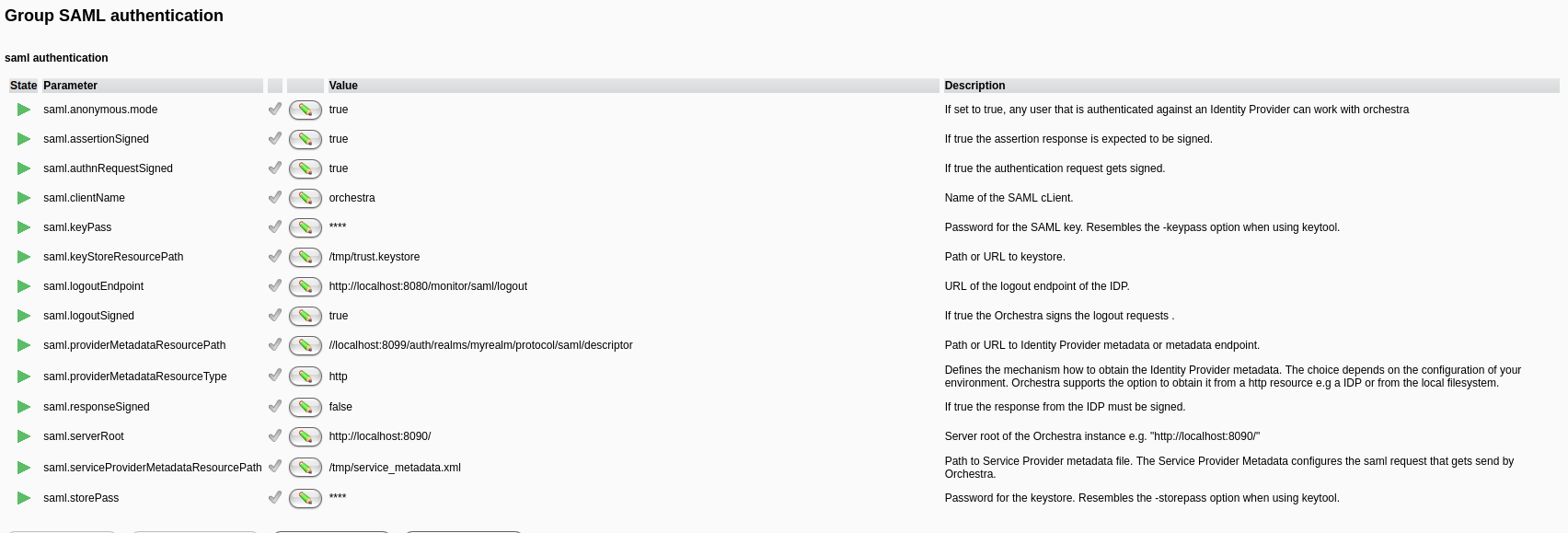
The following is a compatible Monitor configuration for the IDP:
Configure saml_security_groups.xml
Refer to Configuring SAML Role Mapping.